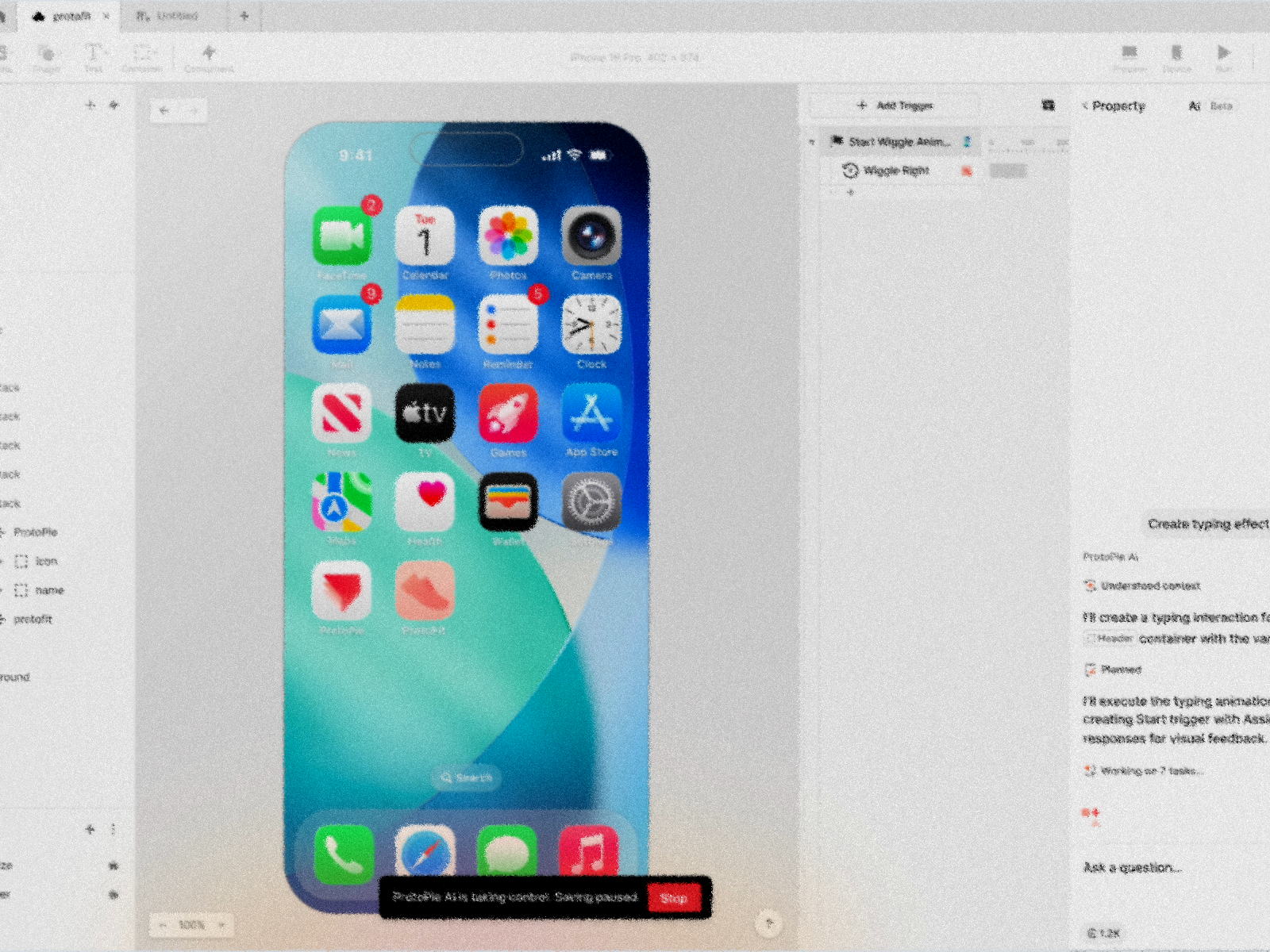
ProtoPie AI
Discovering the proper AI approach for ProtoPie:through research, more than just assumptions
Company
ProtoPie
Timeline
2025.10 - 2026.01
Role
Preliminary research , Conversational UX, UI/UX design
Team
Product Designer (1), PM (1), Creative Technologist (1), Engineers (10+)
Context
In 2025, Generative AI tools were rapidly reshaping the prototyping landscape. In customer conversations, names like Cursor, v0, and Bolt kept surfacing—designers were exploring AI-assisted workflows.
We needed to understand where ProtoPie fit in this shift.
Competitive Analysis materials shared internallyafter using major AI prototyping tools.
Early Exploration Without Direction
Our AI Task Force had been testing Figma Make and Claude Code to explore AI-generated prototypes. The results were technically promising—but I noticed a critical gap: we were building without understanding how users actually use AI in their workflows.
I proposed a structured research initiative to answer fundamental questions before committing to a product direction.
Research
Panel
11 participants from 10 companies
Method
Screener survey,In-depth interview
Recruiting
Internal contacts + Research pool platform (company-blind)
Region
EMEA
AMER
APAC


3
3
4


Domain


Hardware4
D2C 1
Public service2
Tool/SaaS2
O2O 1
Synthesis
Segment 1. Conditional adopters
- Mostly tried AI prototyping, but got frustrated with the experience
- Mainly use AI for text-based tasks such as research
Segment 2. Enthusiastic adopters
- This group already integrated AI prototyping tools in their workflows.
- All participants judged AI prototypes to be Lo-Fi prototypes that cannot replace Hi-Fi prototypes.
- Notably, even Segment 2 used AI prototypes in the ideation phase rather than the design phase (replacing whiteboarding).
- The approach of perceiving AI as an efficiency tool for rapid iteration—rather than a "replacement" for specific processes—proved successful.
Define

Seg.1
Whiteboarding


Ideate


Seg.2
Vibe coding (AI Prototyping)
UI design, Hi-Fi Prototyping


Design

UI design, Hi-Fi Prototyping
Validate

Handoff

Solution
In ideation, "good enough" is fine—speed and volume matter. But in validation, every detail affects test outcomes. AI that introduces imprecision undermines the purpose of high-fidelity prototyping.
"AI prototypes are not proper for user testing which needs micro adjustments to prevent biased response."
Quotes from the interview
ProtoPie exists for validation. The question wasn't "how do we add AI?"it was "how do we make designers faster without sacrificing precision?"
Overview
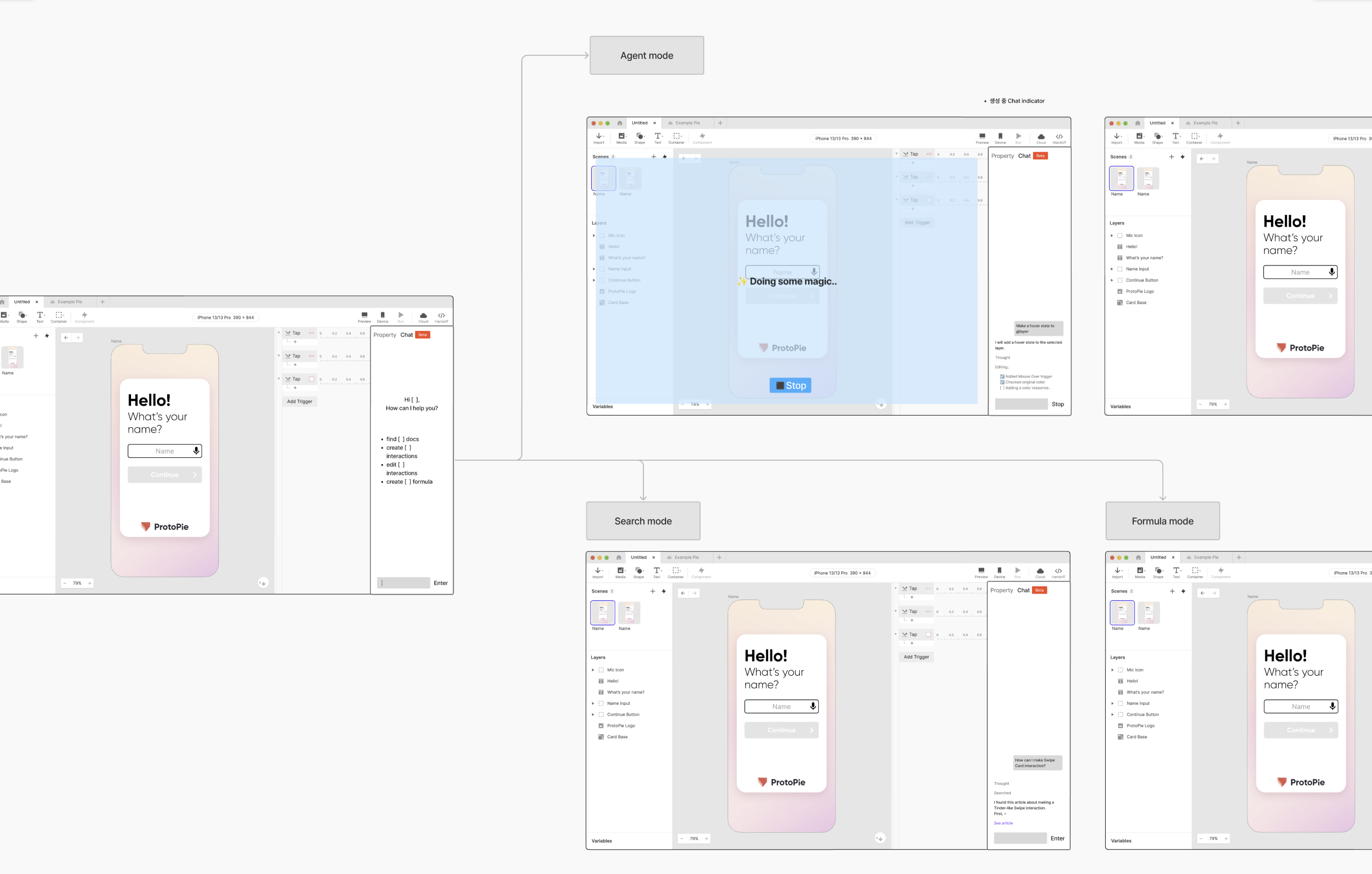
- Based on these insights, I designed an AI Agent that enables users to control prototypes while efficiently leveraging ProtoPie, and the team conducted a PoC.
- Authoring Agent: Assists prototyping using Remote MCP. Since it utilizes ProtoPie for authoring, it offers the advantage of making AI edits easy to review and modify.
- Document QA Agent: Uses RAG based on ProtoPie's official documentation and tutorials to search for usage tips in natural language.
Mention: Guiding users toward clear prompts
Problem: Prototypes can have lots of layers. Natural language prompts like "change the button color" can be ambiguous. Most importantly, layer names are rarely intuitive enough to resolve this ambiguity.
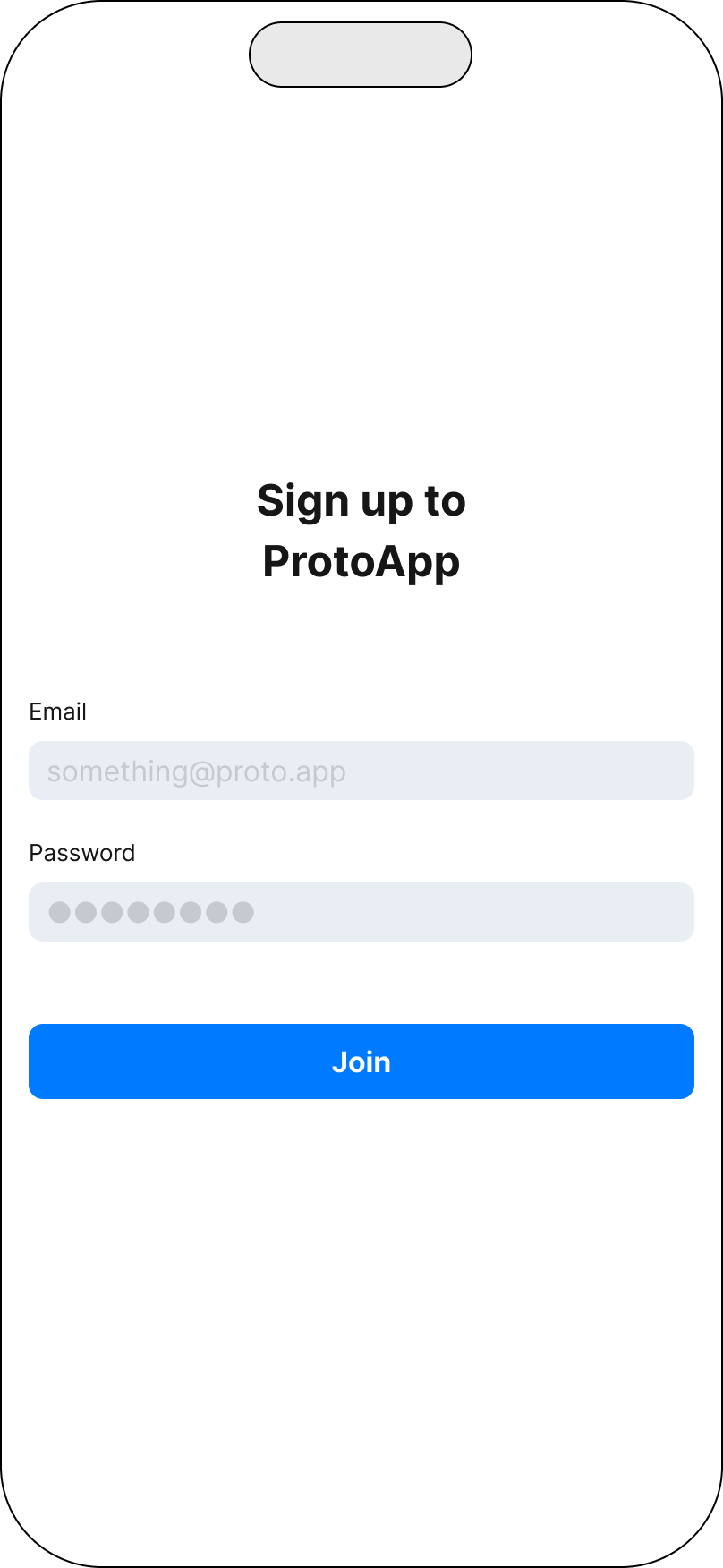
Solution: Users can mention layers in their prompts—either by typing or by selecting directly on the canvas. The AI agent also uses mentions when referencing layers. Clicking a mention chip highlights the corresponding layer on both the canvas and in the layer list.


IoT Home_v1


Untitled


Import


Media

Shape


Text

Container

Component

iPhone 11 Pro / X 375 x 812
Preview

Device

Run

Cloud

Hand Off

Scenes
9


Scene 1
Layers


Header


Account information

Password

Button

label
Variables


emailInput

alphabet
Sign up to
ProtoApp
something@proto.app
Password
●●●●●●●●
Join



Header


100%


Add Trigger


Tap ‘Join’


0
100
200
300
400
500


Assign


AI can make mistakes.
Learn more
@h
|

1.2K


placeholder

Header

AI can make mistakes.
Learn more
@

button layer

Scene 1


variable

Rect

Next

Ask a question...
1.2K


Add a mention

Property

AI
Beta
Create typing effect to

Header
ProtoPie AI

Understood context

I'll create a search interaction plan for the search_selectIcons container with tap feedback and visual response.

Planned
I'll execute the search interaction plan by creating tap and touch-up triggers with scale and opacity responses for visual feedback.

7 tasks done
Successfully created typing interaction to
Header
.
The header text now provides visual feedback when shown.


Edited
Undo
⌘Z
Ask a question...
1.2K


IoT Home_v1


Untitled


Import


Media

Shape


Text

Container


Component

iPhone 11 Pro / X 375 x 812
Preview

Device

Run

Cloud

Hand Off

Scenes
9


Scene 1
Layers


Header


Account information

Password

Button

label
Variables


emailInput

Sign up to
ProtoApp
something@proto.app
Password
●●●●●●●●
Join




100%


From Start

Triggers
Start trigger fires on scene load to begin the typing sequence


Start

0
100
200
300
400
500

Responses
Assign: Increments charIndex variable each interval to track progress" "Text: Slices string from 0 to charIndex, creating typewriter effect"


Assign

Move


Add Trigger


Property

AI
Beta
Create typing effect to

Header
ProtoPie AI

Understood context

I'll create a typing interaction for the
Header
container with the variables.

Planned
I'll execute the typing animation plan by creating Start trigger with Assign and Text responses for visual feedback.

Worked on 7 tasks

Edited
Undo
⌘Z
Ask a question...

1.2K

Annotation: Making AI-created logiceasier to understand
Problem: AI makes it easy to generate complex Trigger and Response logic. However, if users don't understand why an interaction works the way it does, they can't confidently modify or maintain it.
Solution: Inspired from a workaround used by freelancer users: they intentionally create target-less triggers, which display as orange errors to make them visually prominent, and use them to write explanatory notes.
Similarly, just as code-generation AI adds comments, our AI generates Annotation blocks when authoring interactions to document the underlying logic.
Conversational UX
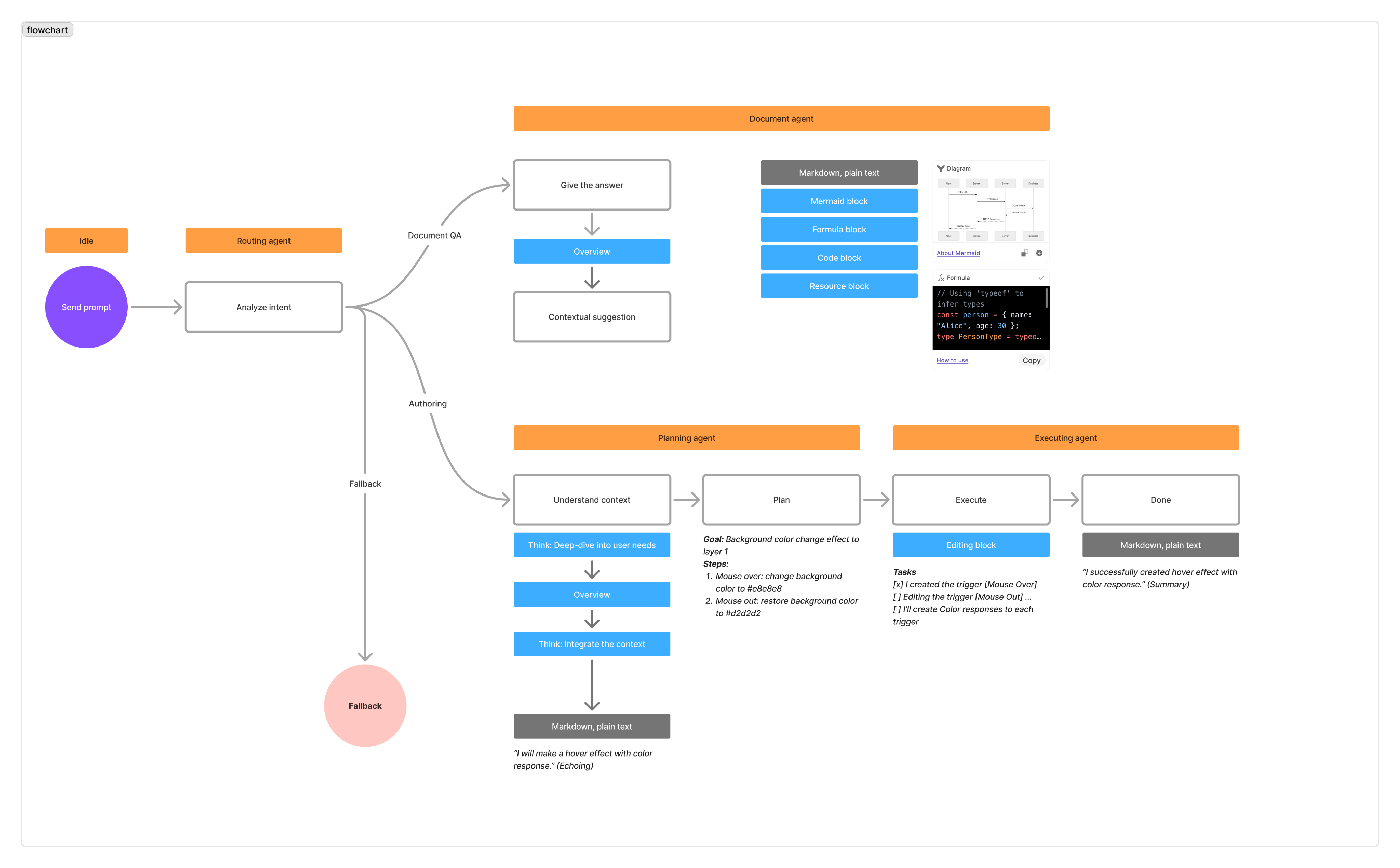
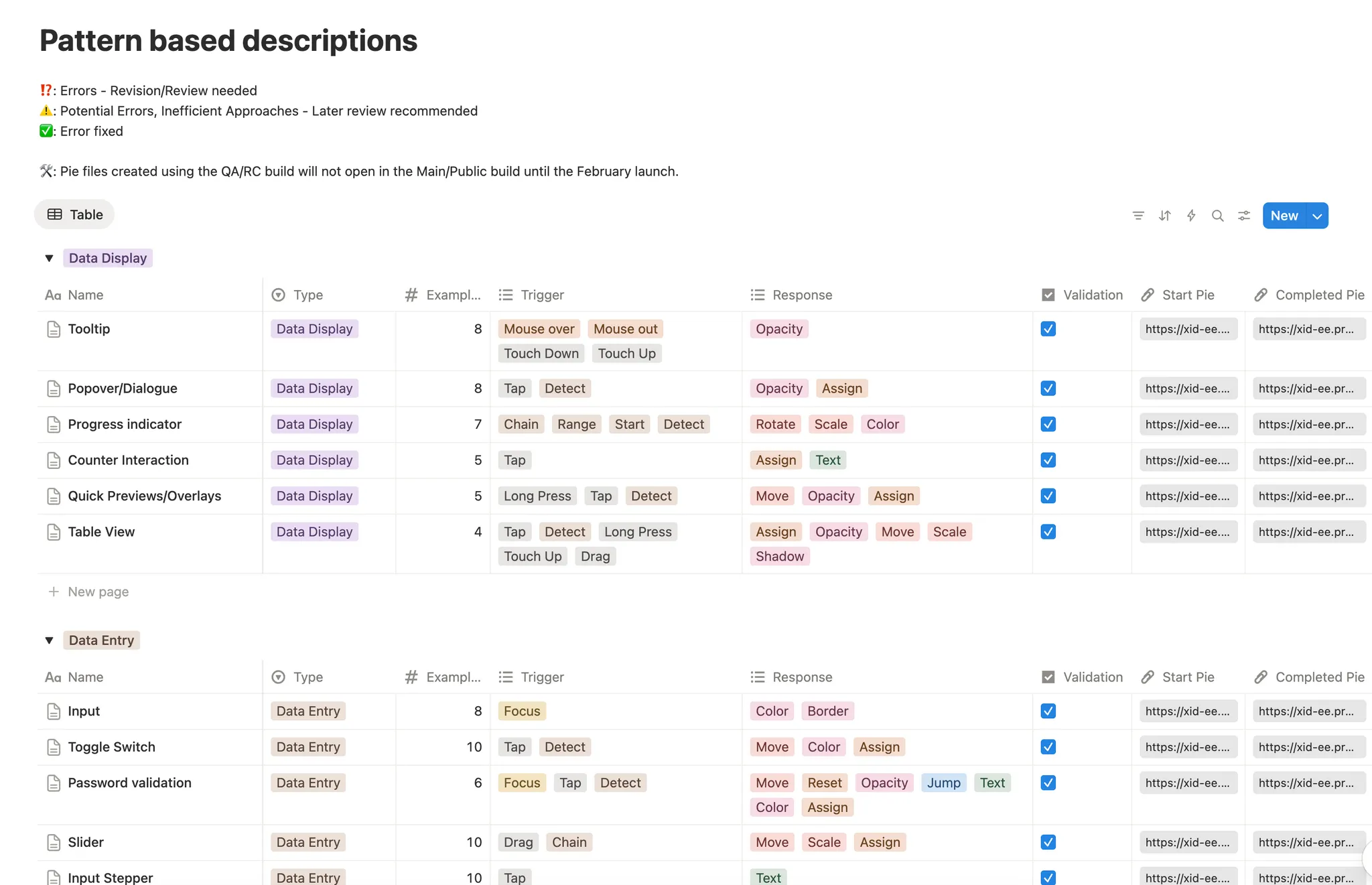
- Unlike typical AI coding assistants that generate well-known code such as Python or JavaScript, our Agent needed to generate structures specific to ProtoPie (Triggers, Responses, Formulas, Layers).
- We collaborated with Engineering and Creative Technologists to transform AI responses into a format optimized for the product.
Problem
Solution
AI don't know what Layer Properties, Triggers, and Responses mean in our context.
Added detailed descriptions for each attribute to the Tools the AI uses.
AI don't know how designers describe interactions in natural language.
Patterned the interactions, and built a knowledge base of how they're expressed in natural language.
LLM outputs became wordy in order to faithfully follow domain knowledge.
Enforced XML-style structured responses, and collapsed non-essential content into accordion UI.


Property

AI
Beta
Create typing effect to

Header
ProtoPie AI

Understood context

I'll create a typing interaction for the
Header
container with the variables.

Planned
I'll execute the typing animation plan by creating Start trigger with Assign and Text responses for visual feedback.

Ask a question...

1.2K

ProtoPie AI is taking control. Saving paused.
Stop
'In progress' animation
Outcome
- In internal testing, usefulness was rated an average of 4 or higher (out of 5) regardless of user proficiency level.
- The prototype I developed contributed to a major contract with a leading global AI company.
IoT Home_v1
Untitled
Import
Media
Shape
Text
Container
Component
iPhone 11 Pro / X 375 x 812
Preview
Device
Run
Cloud
Hand Off
Scenes
9
Scene 1
Layers
Header
Account information
Password
Button
label
Variables
emailInput
Sign up to
ProtoApp
something@proto.app
Password
●●●●●●●●
Join
100%
From Start
Triggers
Start trigger fires on scene load to begin the typing sequence
Start
0
100
200
300
400
500
Responses
Assign: Increments charIndex variable each interval to track progress" "Text: Slices string from 0 to charIndex, creating typewriter effect"
Assign
Move
Add Trigger
Property
AI
Beta
Write me a formula to validatewhether it is email format or not
ProtoPie AI
Understood context
I'll create a formula for email validation using regex.

Formula
regexextract(emailInput, "^[a-zA-Z0-9._%+-]+MENTION[0]$")
Formula
How to use
Copy
For more information about how to use this formula, you can refer to this learning material.
ProtoPie Learning

How to use formula in ProtoPie

Youtube Video


AI can make mistakes.
Learn more
Ask a question...
1.2K

IoT Home_v1
Untitled
Import

Media
Shape
Text
Container
Component
iPhone 11 Pro / X 375 x 812
Preview
Device
Run
Cloud
Hand Off
Scenes
9
Scene 1
Layers
Header
Account information
Password
Button
label
Variables
emailInput
Sign up to
ProtoApp
something@proto.app
Password
●●●●●●●●
Join
100%

From Start
Triggers
Start trigger fires on scene load to begin the typing sequence
Start
0
100
200
300
400
500
Responses
Assign: Increments charIndex variable each interval to track progress" "Text: Slices string from 0 to charIndex, creating typewriter effect"
Assign
Move
Add Trigger
Property
AI
Beta
Create typing effect to
Header
ProtoPie AI
Understood context
I'll create a typing interaction for the
Header
container with the variables.
Planned
I'll execute the typing animation plan by creating Start trigger with Assign and Text responses.
Worked on 7 tasks
By combining a Start Trigger, Assign, and Text responses, I added a typing effect that increased visual engagement.
Edited
Undo
⌘Z
Ask a question...
1.2K
Authoring agent
Document QA
Reflection
End-to-End AI Design OwnershipI owned the project from start to finish—from research to spec release. I deepened my understanding of the essence of AI product design by defining not only "what to build" but also "how the AI should behave and communicate."
Stakeholder Alignment Amid UncertaintyIn situations where technology, market, and strategy were in conflict, I used research as a common reference point to align perspectives across the organization.
Adapting to a New Development ParadigmI adapted to an AI design approach centered on prompts, utterance/behavior tuning, and iterative experimentation—rather than traditional requirements-driven design.
As a result, I was able to expand my design capabilities through a steep learning curve.